Download TrainerMate
TrainerMate is a Windows desktop app for trainers who want a calmer way to handle course checks, Zoom links and certificates.
Current Windows release
v2.0.0 - current Windows build.
Download the current Windows installer from the official TrainerMate release.
Download Windows installer Install & User Guide
Only install TrainerMate from an official TrainerMate link. The installer checks itself before it installs the app. Security checksum
Windows may currently show “Unknown publisher”. This release is not yet digitally code-signed, so Windows cannot display TrainerMate as the publisher. Only continue if you downloaded it from this official page, and compare the SHA-256 security checksum above. If the source or checksum does not match, cancel the installation. We are not asking you to disable Windows security warnings.
Quick setup
A very short guide for getting started. You only need to do this once.
1. DownloadClick the blue download button above.
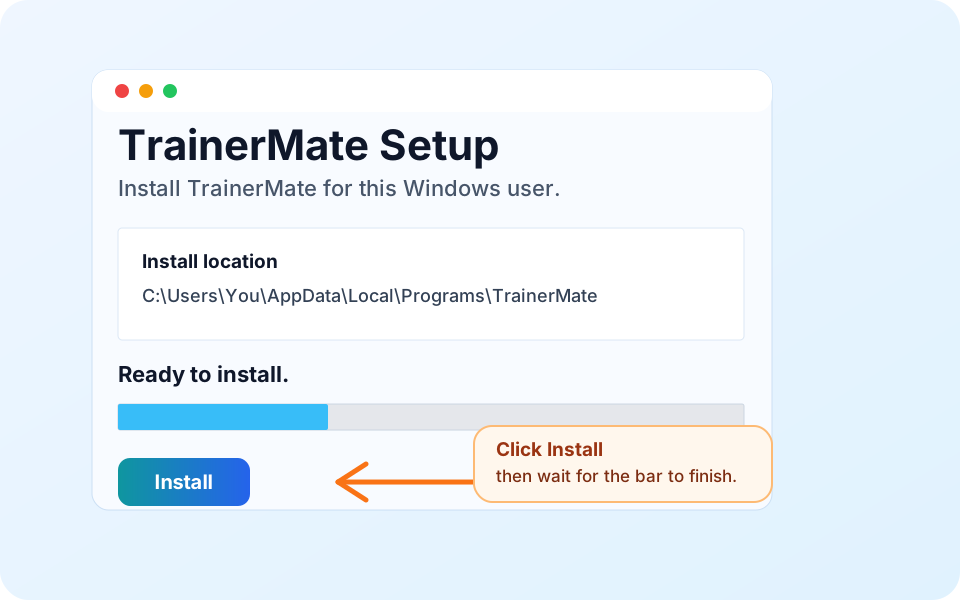
2. InstallOpen the downloaded file and click Install.
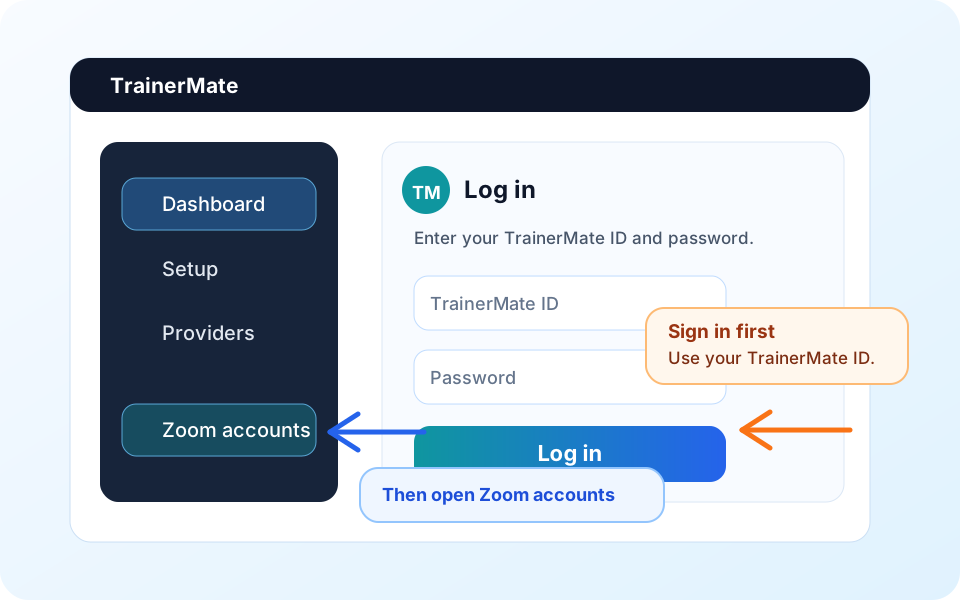
3. Log inOpen TrainerMate and sign in with your TrainerMate ID.
4. Connect ZoomSign into Zoom in your browser, then click CONNECT ZOOM in TrainerMate.
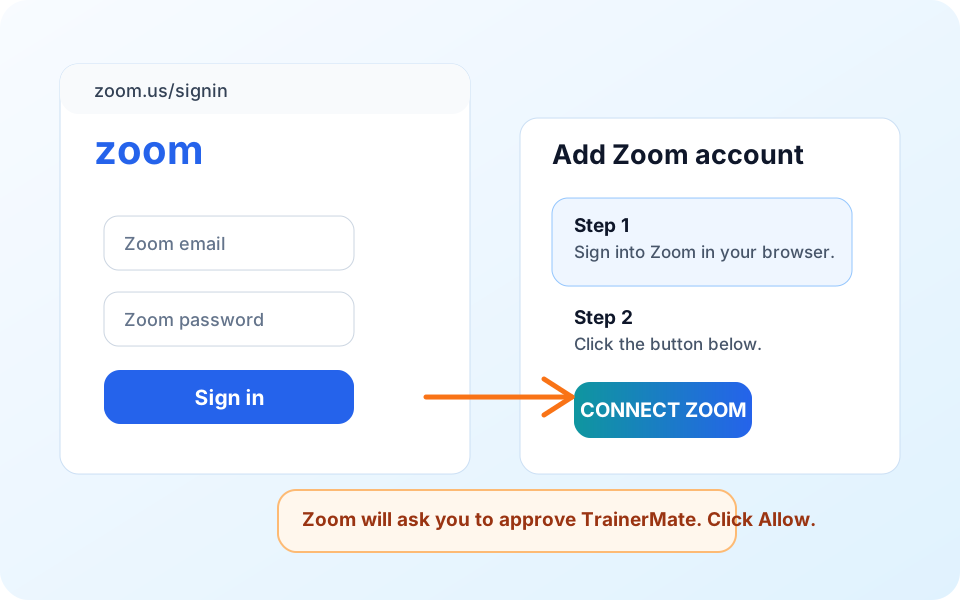
Zoom tip: you never type your Zoom password into TrainerMate. Zoom asks you to approve TrainerMate on Zoom's own page.
Good habit: Always confirm your course details and Zoom joining information before delivery. TrainerMate helps with the routine admin while you keep the final professional check.